Inventory that keeps count, from warehouse to shelf.
Counts, receiving, transfers, recipes and POS depletion in one system. A web portal, a scanning mobile app, and native Mac and Windows apps, all working off the same live API.
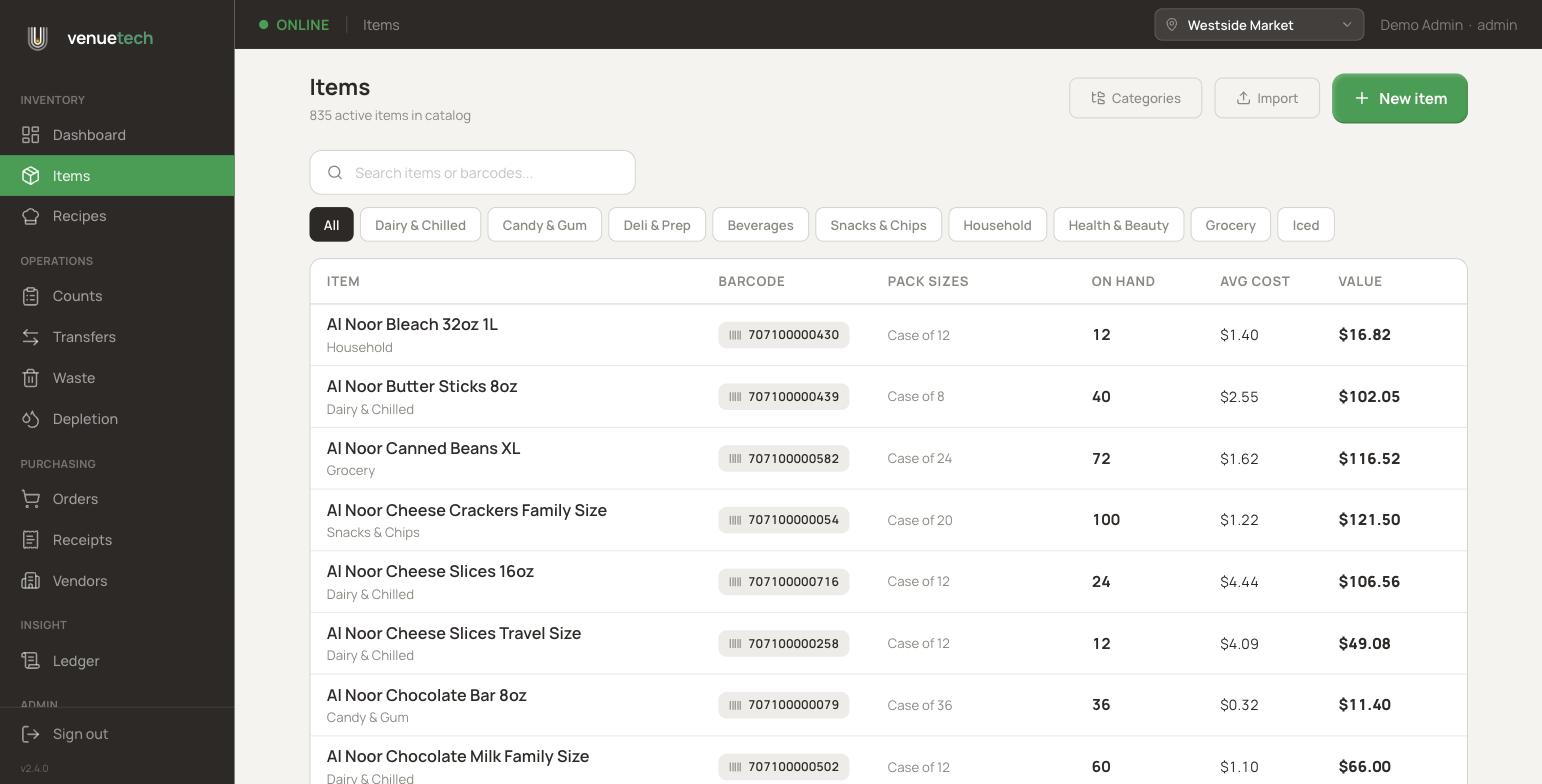
The web portal is the back office: catalog, purchasing, movements, and people. Every number traces back to a ledger entry, so stock on hand is never a guess.
Items with real depth
SKUs, barcodes, brands, pack sizes, tags, categories, and photos. Bulk import from Excel with a guided template.
Purchasing and receiving
Purchase orders per vendor and location, blind receiving against them, and statuses that roll up as goods arrive.
Counts, blind by role
Stockers count without seeing expected numbers. Managers review variances and post adjustments in one step.
Transfers between locations
Move stock between the warehouse and outlets with both sides of the movement recorded automatically.
Costing built in
Weighted average cost per item, value on hand per location, and waste logged with reasons and dollar impact.
Roles the server enforces
Admin, manager, stocker, and viewer. Provision users, reset passwords with a temp code, and every rule holds at the API.
The mobile app
Scan it, count it, move on.
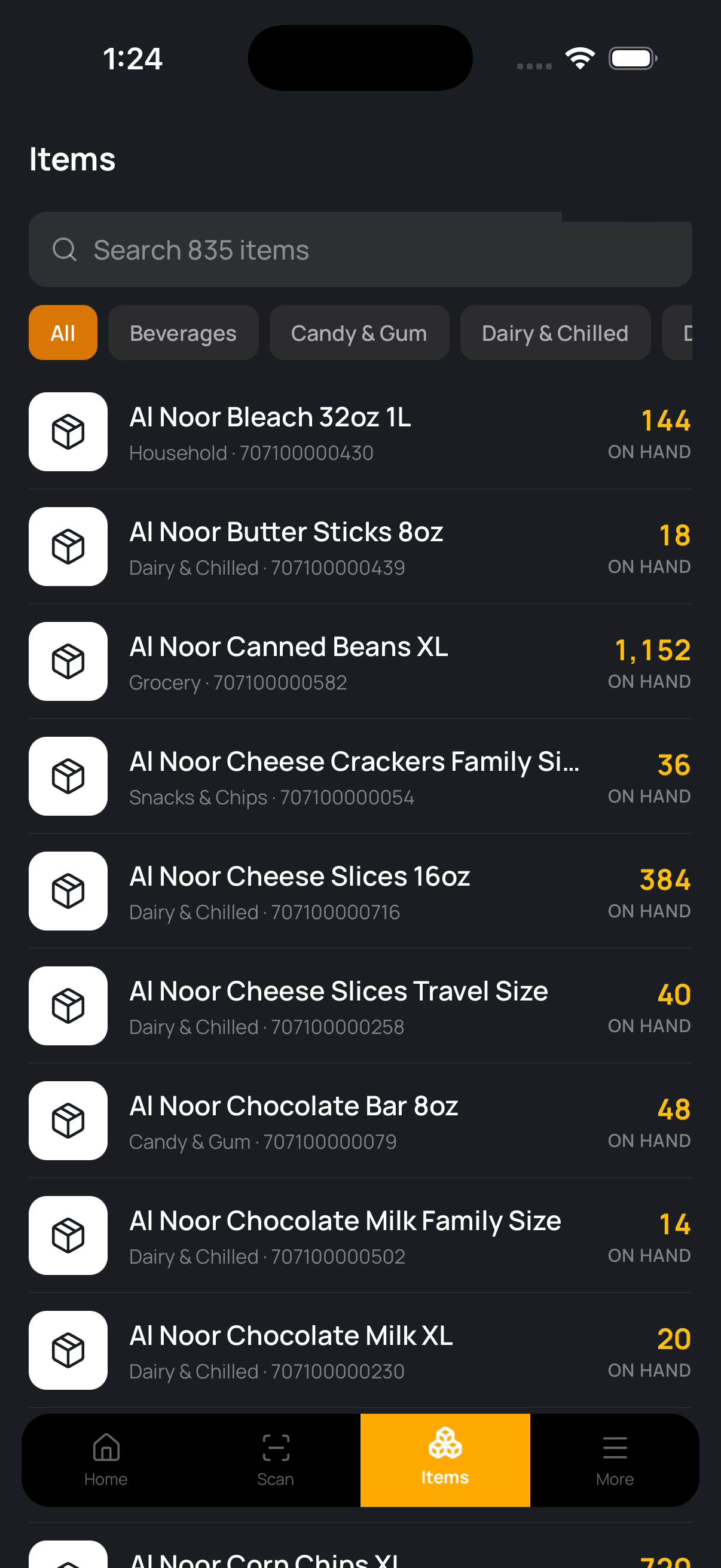
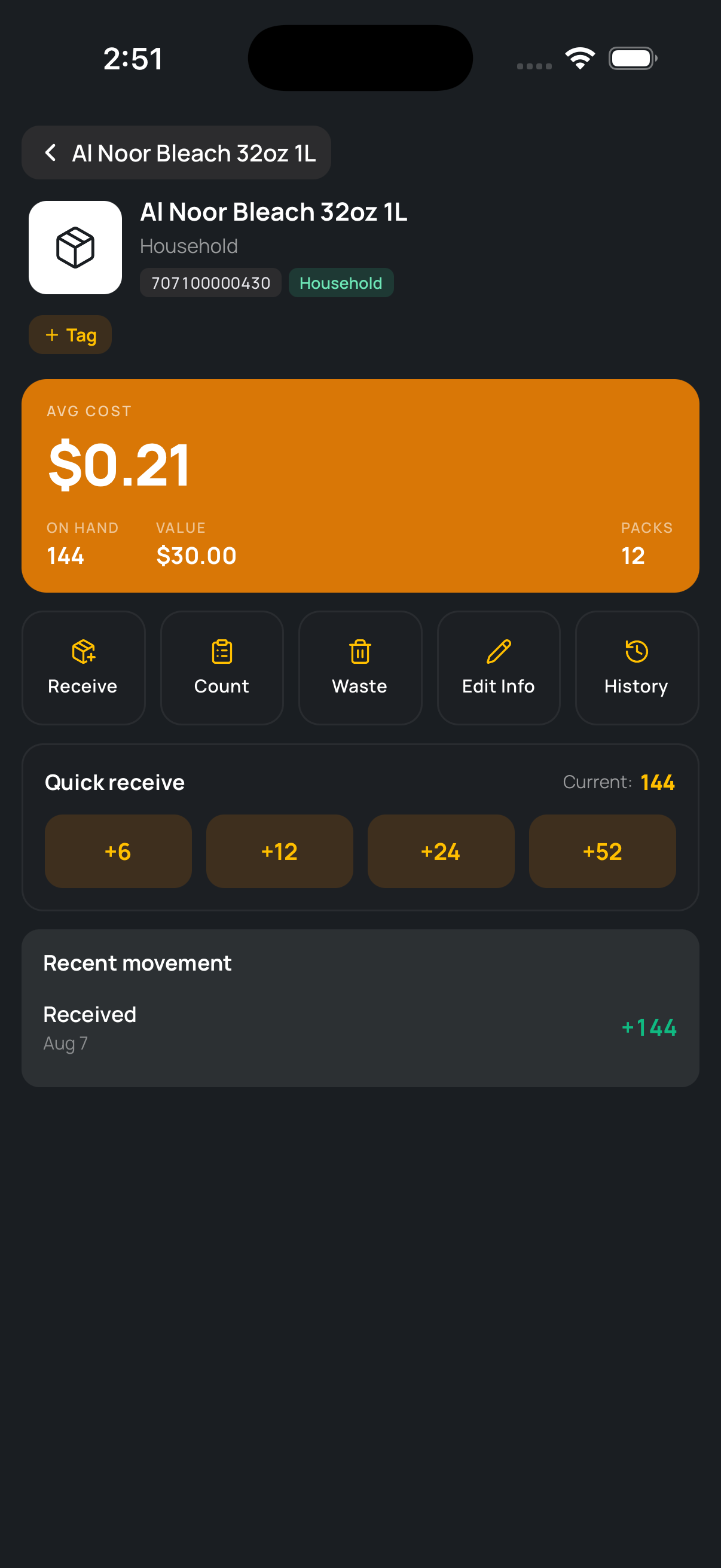
Built for the floor: point the camera at a barcode and land on the item in about a second. Receiving, counting, and waste are two taps from anywhere.
Barcode scanning with instant item lookup
Quick receive presets for common pack counts
Counts and waste logged against the active location
Same live data as the portal, updated the moment you act
VenueTech Inventory
The desktop app
A native app for the back office counter.
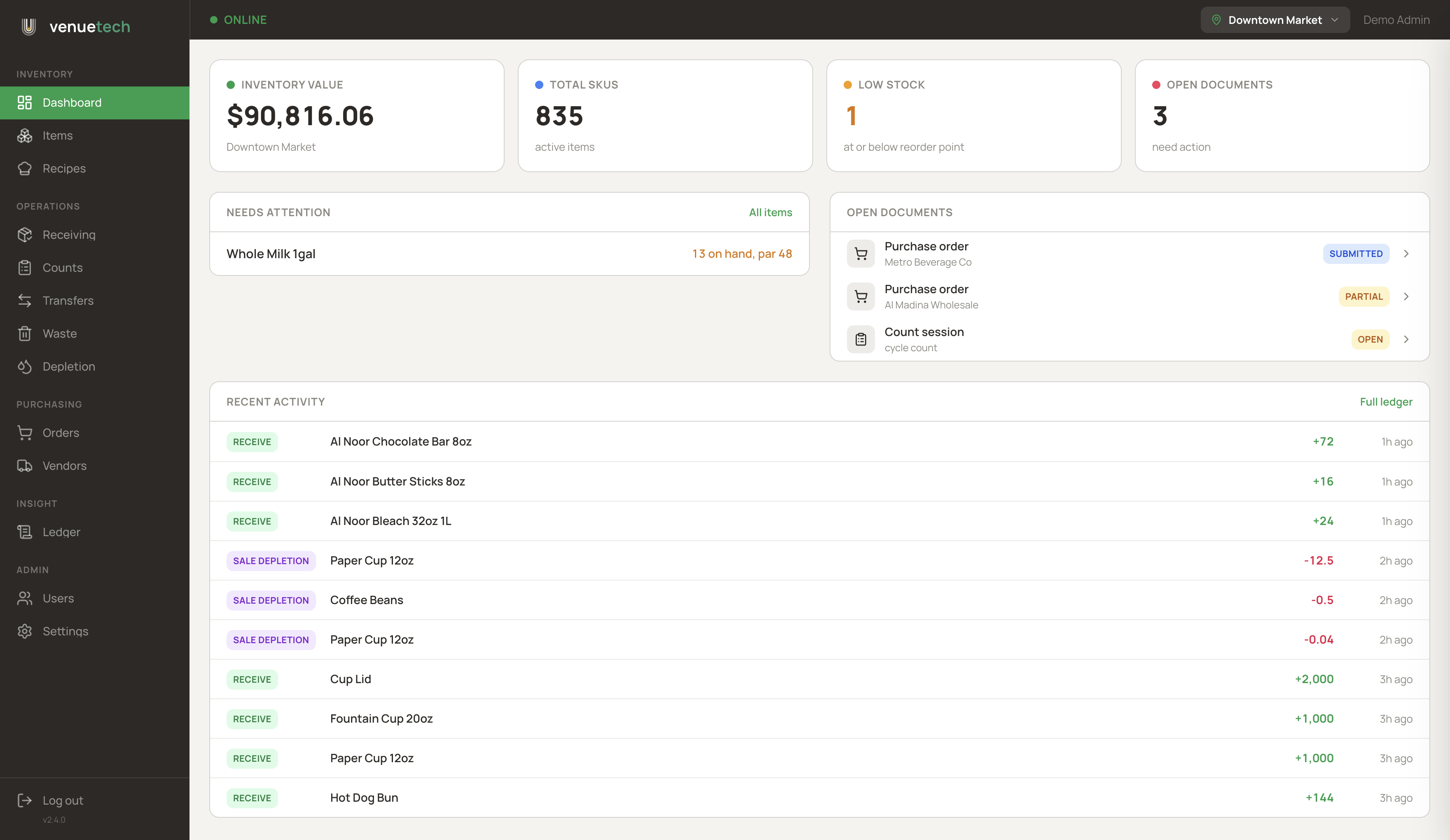
Mac and Windows installers of the full product, built for the receiving desk and the manager's office.
USB wedge scanner support for rapid receiving
Dashboard with stock value and live movement feed
Every portal feature, one keyboard-friendly window
POS integration
Sales deplete stock on their own.
Connect Oracle MICROS Simphony or any POS through the API. Each sale posts to VenueTech Inventory, recipes explode into ingredients, and the ledger depletes the right stock at the right location. Unmatched PLUs are held for review instead of being lost.
STEP 1
Sale rings up
The POS closes a check: two lattes, a hot dog, a bottled soda.
STEP 2
API receives it
One call posts the sale lines with PLUs, quantities, and the outlet.
STEP 3
Recipes explode
Each menu item maps to a recipe: beans, milk, cups, buns, and sub-recipes.
STEP 4
Ledger depletes
Ingredients deplete at that location, costed and traceable in the ledger.
See it running
The demo environment is live right now.
Thirty locations, hundreds of items, and every screen on this page comes from the running product.